The short answer
A drag-and-drop builder is the right answer for a lot of businesses: a handful of pages, a contact form and somewhere for your listing to point is exactly what they are built for, and commissioning custom development instead would be spending money for no return. They stop being enough at fairly predictable points — when the thing you need does not exist as a template, when you have to connect systems the platform does not support, when performance has hit a ceiling you cannot move, or when downtime starts costing real money.
On this page
Let us start with the part most development companies skip, because it costs them work.
The well-known drag-and-drop website builders are good products. If you need a handful of pages, a contact form and somewhere for your Google listing to point, a builder handles it, you can maintain it yourself, and paying for custom development would be spending money for no return. Anyone who tells you otherwise as a general rule is selling something.
That said, businesses do outgrow website builders, and the moment tends to arrive quietly. Nothing breaks. The site just stops being able to do the next thing you need, and the workarounds start accumulating.
The seven ceilings of a website builder
In practice, businesses hit one of these:
- 1The thing you need does not exist as a template or a plugin — a quoting calculator built around your actual pricing, a job-scheduling flow, a customer portal.
- 2You need to connect to systems the builder does not support, or to connect two of them to each other.
- 3Speed is capped by what the platform itself loads on every page, and that part is not yours to remove.
- 4Your content has outgrown how the platform organizes it — the categories, hierarchies and relationships the editor has no way to express.
- 5Search or accessibility work has reached the markup, and the editor does not expose it.
- 6The workflow behind the site involves several people, approvals or handoffs.
- 7You need somebody answerable to you by contract rather than a shared support queue, because an outage is now a commercial event.
Notice what is not on that list: how the site looks, how old it is, or how much you have come to dislike the editor. Those are real feelings and poor reasons to spend. The limitations worth paying to escape are the ones stopping you doing business, not the ones that irritate you on a Monday.
Have you actually hit the ceiling?
The honest test is whether you are working around your website builder or simply working on the site. Tick what is true:
Check your own situation
The ceiling test
Seven statements. Tick only the ones that describe something you have actually run into, not something you anticipate.
Tick whatever is true. Nothing is sent anywhere — the result appears here and goes no further.
What you give up moving off a website builder
This is the half of the comparison that sales conversations skip, and it is the reason a lot of businesses should stay exactly where they are.
A builder subscription is not really paying for the editor. It is paying for the hosting, the security patching, the uptime monitoring, the backups, the platform upgrades and the fact that when something breaks at nine on a Sunday it is somebody else's problem. Move to a custom website and every one of those becomes a line item, an arrangement with a supplier, or your own evening.
| What you are comparing | Builder | Custom build |
|---|---|---|
| Control | BuilderWhat the editor allows, and no further. | Custom buildComplete — page structure, markup, performance, integrations. |
| Who patches it | BuilderThe platform, silently, included in the subscription. | Custom buildSomebody you pay, on a schedule you agree, or nobody. |
| Cost shape | BuilderPredictable monthly, rising slowly with add-ons. | Custom buildLarger up front, then a maintenance arrangement. |
| When it breaks | BuilderA support queue, and you wait. | Custom buildA named person, if you arranged one. Otherwise nothing happens. |
| Ceiling | BuilderReal, and you have probably met it if you are reading this. | Custom buildEffectively none, which is its own way to overspend. |
That last row deserves a warning of its own. Unlimited capability is how a straightforward site acquires features nobody asked for and a maintenance burden nobody budgeted. The ceiling a builder imposes is genuinely useful right up until the moment it is not.
What moving actually costs
No honest range exists for this, for the same reason it does not for anything else built to order: the number is made of your site, not of a category. What can be said is what it is made of, and which parts of it people forget.
- 1How many pages you have, and how many of them earn anything. Every address that carries traffic or links has to be mapped to its replacement. A twelve-page site is a different job from four hundred product pages, and the mapping is the part that protects what you have already earned.
- 2Whether the content comes out cleanly. Some platforms export in a form you can use, some export a version you would not want to publish, and some leave somebody re-entering it by hand. Establish which one you are dealing with before anybody quotes, because it changes the number more than the design does.
- 3How much of the ceiling you are actually clearing. Rebuilding the same site on different technology is the cheapest version and the least useful one. Naming the two or three things the platform genuinely could not do is what makes both the scope and the price mean something.
- 4The integrations. The rule is the same as anywhere else: a system with documented, supported access for other software is routine, and one without it is where estimates go wrong. Find out which before the quote, not after.
- 5Who edits it afterwards. If your team changes prices, photographs or opening hours every week, somewhere for them to do that is part of the build rather than an afterthought — and leaving it out is how a business ends up paying its developer to change a phone number.
Moving off a builder: what to insist on
Moving well is mostly about not throwing away what the old site had already earned. Most of the list below is what a professional build should include as standard, so it is worth checking each one is named in the scope rather than assumed.
- Every existing URL mapped to its new address before launch, not fixed afterwards when the traffic drops.
- Ownership in writing: domain, hosting account, code and content in your name, and you can leave with all of it.
- The content that changes often — prices, services, photographs, opening hours — identified up front, with an agreed route for changing it rather than an assumption.
- Analytics carried across and running from day one, so you can tell whether the move helped.
- A written answer to who applies security updates after launch, how quickly, and what it costs.
- A scope that names the specific things the old builder could not do, so success is checkable rather than a matter of taste.
The first item is the one that goes wrong most often and costs the most. A site that changes every address and redirects none of them starts from zero in search, and the recovery takes months that the improved performance does not offset. Done properly it does not have to cost you anything: Google's own guidance on site moves is that permanent redirects do not lose ranking signal, and that they should stay in place for at least a year afterwards. Ask for that in writing too.
The mistake to avoid on the way out
It is worth saying plainly that the website builder is rarely the reason a website underperforms. Far more often, nobody decided what the site was for before it was built.
Moving a directionless site onto better technology produces a faster directionless site. If the enquiries were not arriving before, and the reason was that no visitor could tell what you sold within five seconds, that will follow you onto any platform in the world.
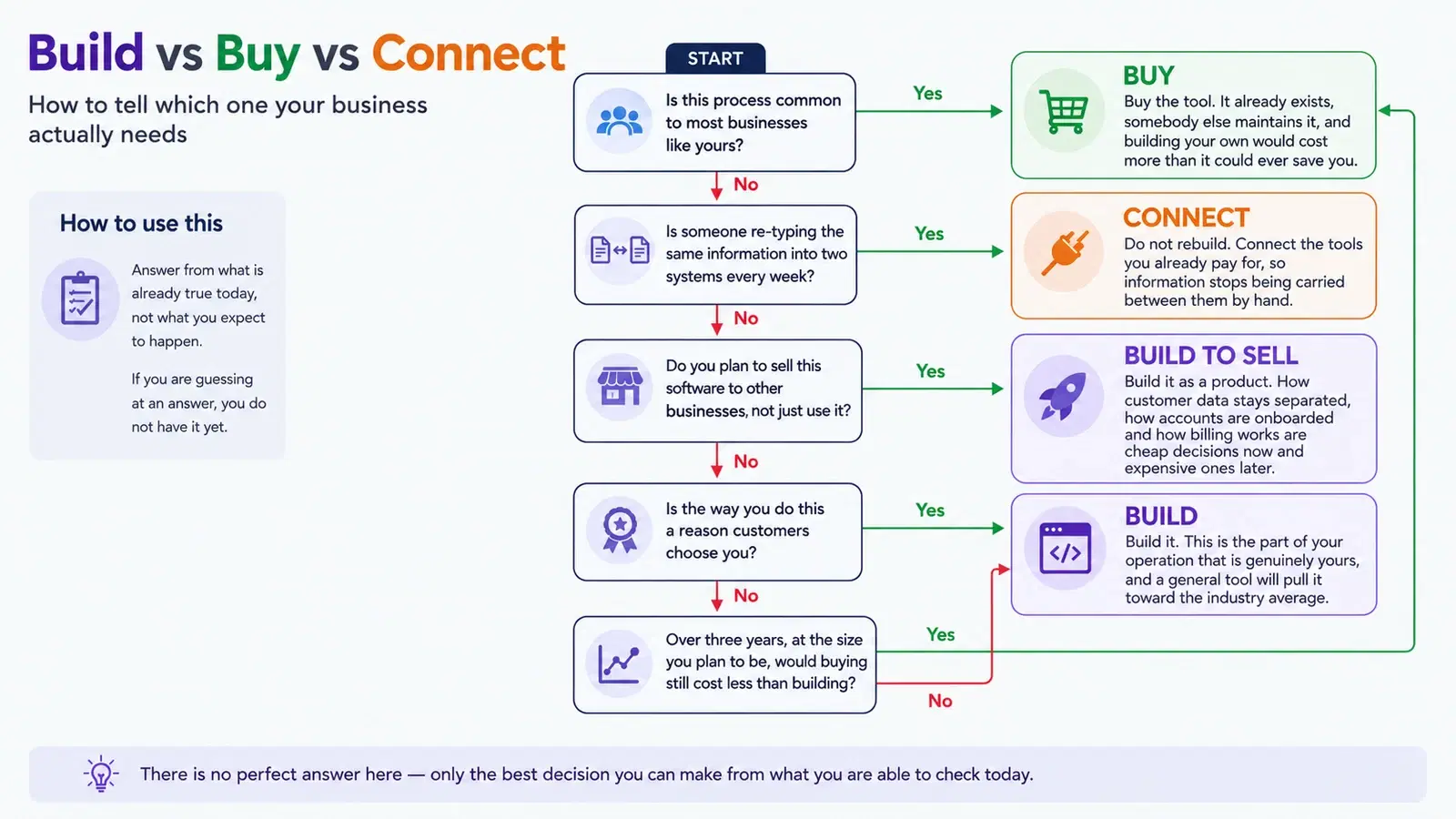
So before you move, be specific about what you are buying. If the answer is "these three items on the ceiling test", good — that is a scope. If the answer is "something better", work out which of your problems are content and which are structural before you pay anyone to rebuild — and if what you actually need is software rather than a website, the build-or-buy decision is a different one.
What it comes down to
Builders are not a beginner tier you graduate from on a schedule, and a growing business does not automatically need a different platform. They are a trade: less control in exchange for less cost and less maintenance, and for a great many businesses that trade is permanently worth making.
Move when the thing you need is genuinely on the other side of a wall you cannot move — and when you go, take a written scope of what the wall was, so the replacement is built to clear it rather than to look nicer.
Common questions
Can I just use a website builder instead of hiring a developer?
Often yes. For a small site with standard requirements a builder is a sensible and economical choice, and custom development would be overspending. It stops being enough when you need functionality that does not exist as a template, integrations with systems the platform does not support, performance beyond what the platform allows, or a content structure the platform cannot organize.
How do I know if I have outgrown my website builder?
The practical test is whether you are working around the platform rather than working on the site. Re-typing data between systems every week, paying for several add-ons to approximate one feature, being told a change is not possible on the platform, or hitting a hard limit on pages or locations are the usual signals. Disliking the editor is not one.
Is a custom website faster than a website builder?
It can be, because a custom build only loads what the page actually needs, whereas a builder loads a general-purpose runtime on every page. But a badly built custom site is easily slower than a well-kept builder site. Speed comes from the decisions, not from the category.
Will I lose my search rankings if I move off a website builder?
Only if the move is handled carelessly. The risk is URLs: if the new site changes every address without redirecting the old ones, the accumulated ranking is discarded. Mapping the old URLs to the new ones is routine and should be written into the scope before the work starts.
How much does it cost to move off a website builder?
There is no honest range to give without seeing the site, because the number is made of your pages rather than of a category. What drives it is how many addresses have to be mapped across, whether the platform lets your content out in a usable form, how many of the platform limits you are actually clearing, what has to be integrated, and whether your team needs somewhere to make routine edits afterwards. Ask for the annual running cost alongside the build cost, and compare both against the subscription and add-ons you would stop paying — that comparison is the only one that means anything.
How long does it take to move a website off a builder?
The build itself is usually the predictable part. What stretches a timeline is content: deciding what moves across unchanged, what gets rewritten, and who is writing it. A site whose content is agreed and exportable moves quickly; one where every page needs a decision from somebody who is busy does not. The URL mapping should be finished before launch rather than after, so build that into the schedule instead of treating it as a task for the week afterwards.
Can I keep my domain, my content and my email if I move?
The domain, yes — it is yours and it moves with you, provided the registration is in your name rather than your builder account. Check that before anything else, because a domain registered on your behalf is the one thing that can genuinely trap you. Content usually comes out, though how cleanly varies a great deal by platform. Email is worth asking about separately: if it is bundled with the site plan rather than run independently, moving the site can affect it, and that is a bad surprise to have on launch day.
My site is only a couple of years old. Is it too soon to move?
Age is not the test, and it is one of the weaker reasons to spend. The test is whether you are working around the platform or simply working on the site. A two-year-old site that has hit a genuine limit is worth moving; a five-year-old site that works, loads quickly and brings in enquiries is not, however dated the editor feels. If the honest answer is that nothing is blocked and it just looks tired, a redesign on the platform you already have is almost always the cheaper fix.
Do I have to move everything at once?
Not always, and it is worth asking. Where the thing you actually need is one capability the platform cannot provide — a booking flow, a quoting tool, a customer portal — that piece can sometimes be built and connected while the rest of the site stays where it is. It is not always the right answer, because running two systems has its own cost and complexity, but it is a genuine option and a supplier who never mentions it is quoting the larger job by default.
If you want help with this
- Custom software development — The quoting tools, portals and workflows that are the usual reason a builder stops being enough.
- Web development — Moving off a builder properly, including the redirect mapping that protects existing rankings.
- Website integrations — Connecting the site to the booking, payment and customer tools a builder cannot reach.
- AI and automation — For the re-typing between systems that is often the real cost of staying put.